Cel-scope3D -HD
Recommended options
Operating System
Windows 7 (any) 32 or 64 bit versions, Windows 8
Windows XP (any), Vista (any)
Server versions of windows generally don't have required graphic card support installed
MAC-OS not supported (sorry)
Dual Stream Capture
Capture option 1
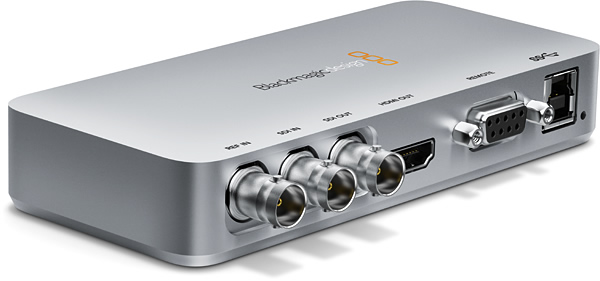
Blackmagic UltraStudio : The Pro versio has both HD-SDI, HDMI and analog inputs.
Check chosen laptop is approved type by Blackmagic and has USB3 port and the latest Renesas drivers installed. Sandybridge chipset laptops generally seem to work OK with UltraStudio
Capture option 2
The UltraStudio-SD is a basic HD-SDI to USB3 converter with just the one input.
Capture option 3
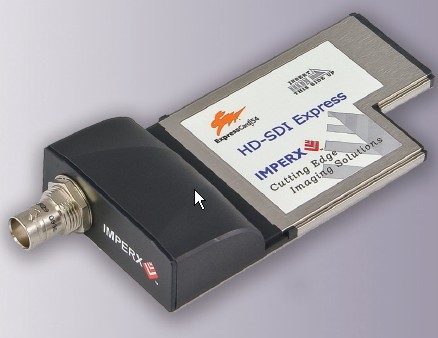
Imperx HD-HDI Express card (check your Laptop model has Express Card slot) Available in 34 and 54 sizes
Capture option 4
2 x IEEE Firewire can be used but 2nd port must be on Express card
Needs HDV outputs from cameras or converter boxes HD-SDI to Firewire.
Capture option 5
Some laptop model have a HDMI input port: check specs this supports 1080 HD formats
System
Sandybridge chipset recommended
Operating System
Windows XP (any), Vista (any) or Windows 7 (any) 32 or 64 bit versions
Graphics card
Must be NVidia, Fermi based design preferred eg:
GTX680M,GTX580M,GTX560M,GTX485M, GTX480M, GTX460M
also suitable but slower:
GTX260M etc.
note: latest NVidia drivers must be installed
Processors
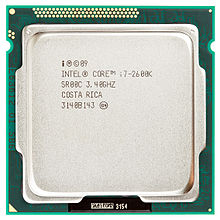
Quad Core (or more) CPU Intel i7 930, 970,940,980X etc i7-2630QM etc
i5 or core Duo processors will run, but be significantly slower on HD media
System memory (RAM)
3GB or more as fast as possible
Hard Disk
500Mb Free hard-disk space
-
Designed by Cel-Soft
Copyright © 2014 by Cel-Soft UK · All Rights reserved · E-Mail: sales*cel-soft.com
keeping a eye on your image quality
Laptop Hardware Requirements